Best Digital Planner Apps for MacBook with Photos 2026



Managing visual schedules on desktop environments often results in sluggish performance and formatting constraints. For users heavily integrating photography into hyperlinked PDFs or digital journals, standard text-based planners fail. The optimal solution requires native applications leveraging the M5 chip and Apple Intelligence. The definitive analysis identifies Goodnotes 6, Zinnia, and PlanWiz as the premier digital planner apps for MacBook, seamlessly handling high-resolution photo integration and massive aesthetic canvases.
Key Takeaways
-
Goodnotes 6 operates as the industry standard for professional PDF annotation, introducing an optimized Smarter Object Menu designed specifically for rapid, in-place photo manipulation and endless whiteboard brainstorming.
-
Zinnia delivers the most robust aesthetic scrapbooking environment, offering a dedicated macOS application with an unlimited studio of assets and intuitive drag-and-drop masking capabilities.
-
PlanWiz provides unparalleled template diversity, boasting over 10,000 customizable layouts and a highly attractive lifetime pricing model tailored for cross-platform integration.
-
The architecture of macOS Tahoe 26 fundamentally enhances visual planning workflows through the translucent Liquid Glass interface and heavily upgraded Spotlight clipboard management.
-
Apple Intelligence redefines photo workflows within desktop planners, enabling users to isolate subjects via the Clean Up tool and generate bespoke visual assets using Image Wand.
-
Hardware advancements inherent to the M5 chip eradicate thermal throttling and rendering latency, ensuring 200MB+ hyperlinked planner files containing high-resolution photography navigate perfectly.
The Core Verdict: Top Digital Planner Apps for MacBook with Photos in 2026
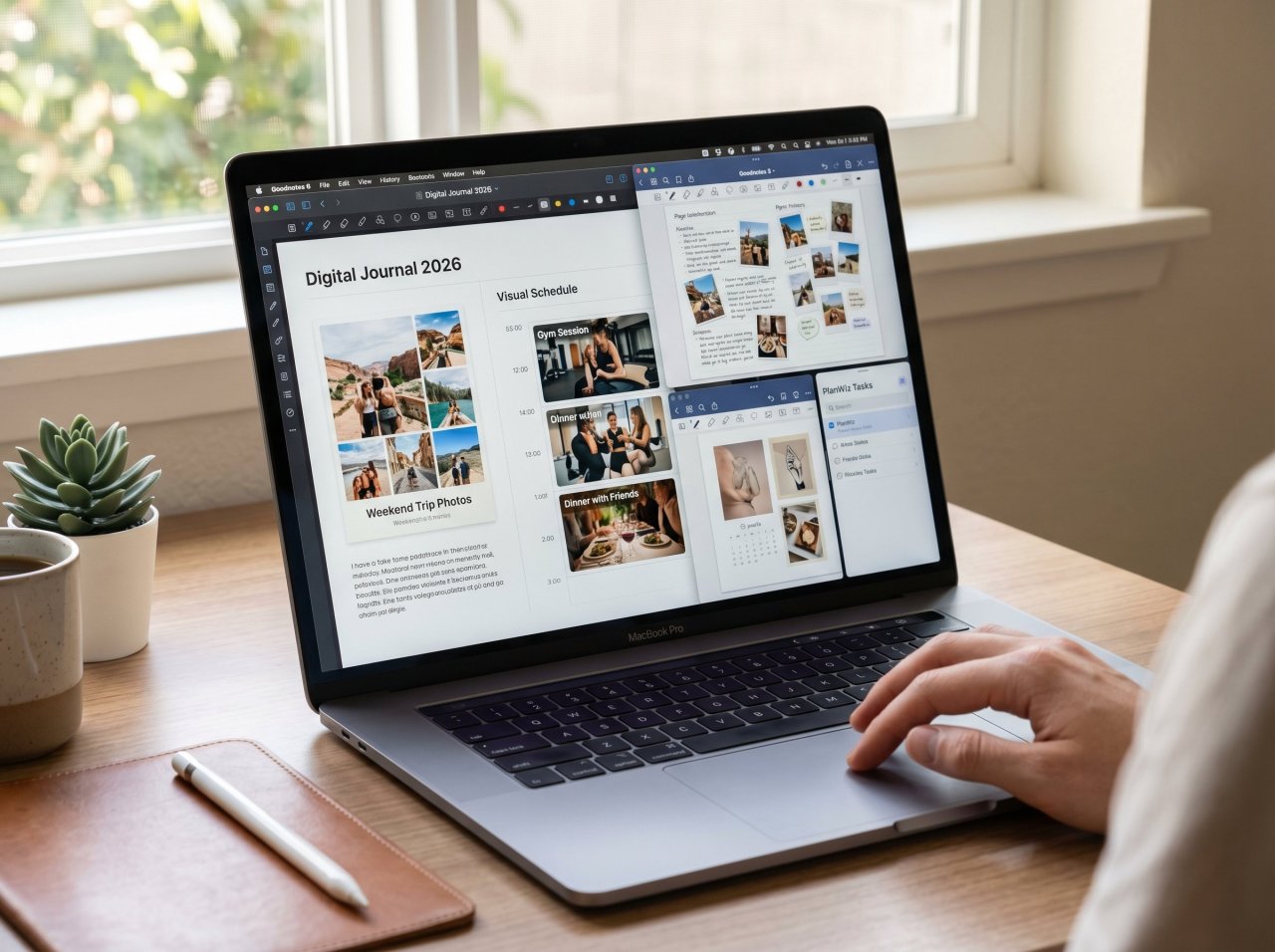
The top digital planner apps for MacBook in 2026 are Goodnotes 6, Zinnia, and PlanWiz. These native macOS applications excel at high-resolution photo integration, utilizing iCloud synchronization and the M5 chip to seamlessly render hyperlinked aesthetic journals and memory-keeping canvases without latency.
The landscape of digital productivity has shifted dramatically from basic text entry to comprehensive, media-rich databases. Applications must now support massive file structures without degrading system performance. The evaluation matrix—prioritizing rendering speed, cloud conflict resolution, user interface fluidity, and integrated photo-masking tools—reveals distinct front-runners engineered specifically for the modern Macintosh architecture.
When pushing these applications to their absolute processing limits by importing hundreds of high-resolution images, layering complex PNG stickers, and executing dense handwriting recognition protocols, the separation between mobile-first ports and true native desktop experiences becomes immediately apparent. The top-tier applications utilize Apple's Metal framework and CloudKit architecture to ensure that dropping a massive 4K image into a daily spread on a desktop instantly propagates to the user's tablet without compression artifacts or synchronization failures.
Goodnotes 6: The Standard for Hyperlinked PDF and Photo Management
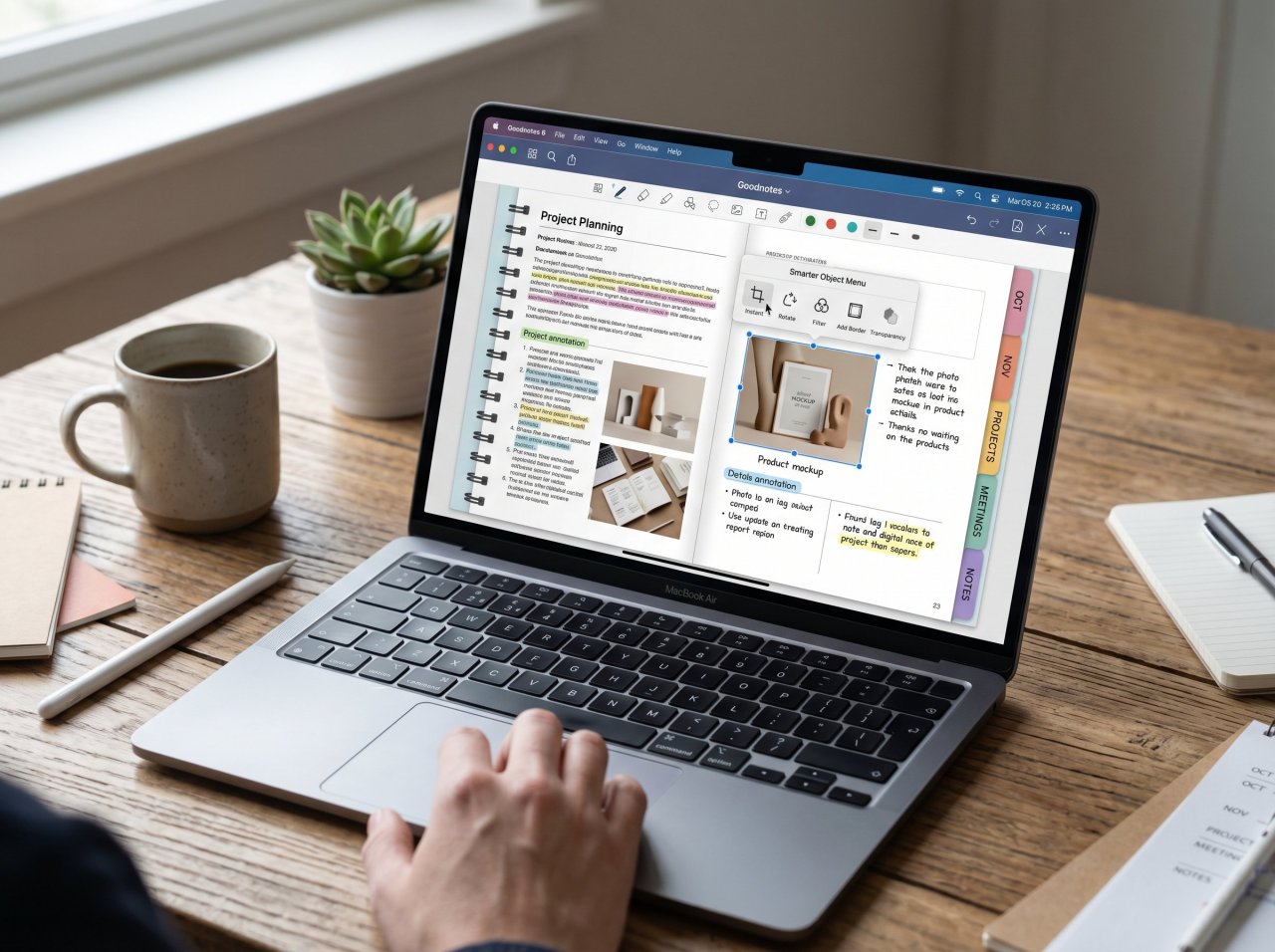
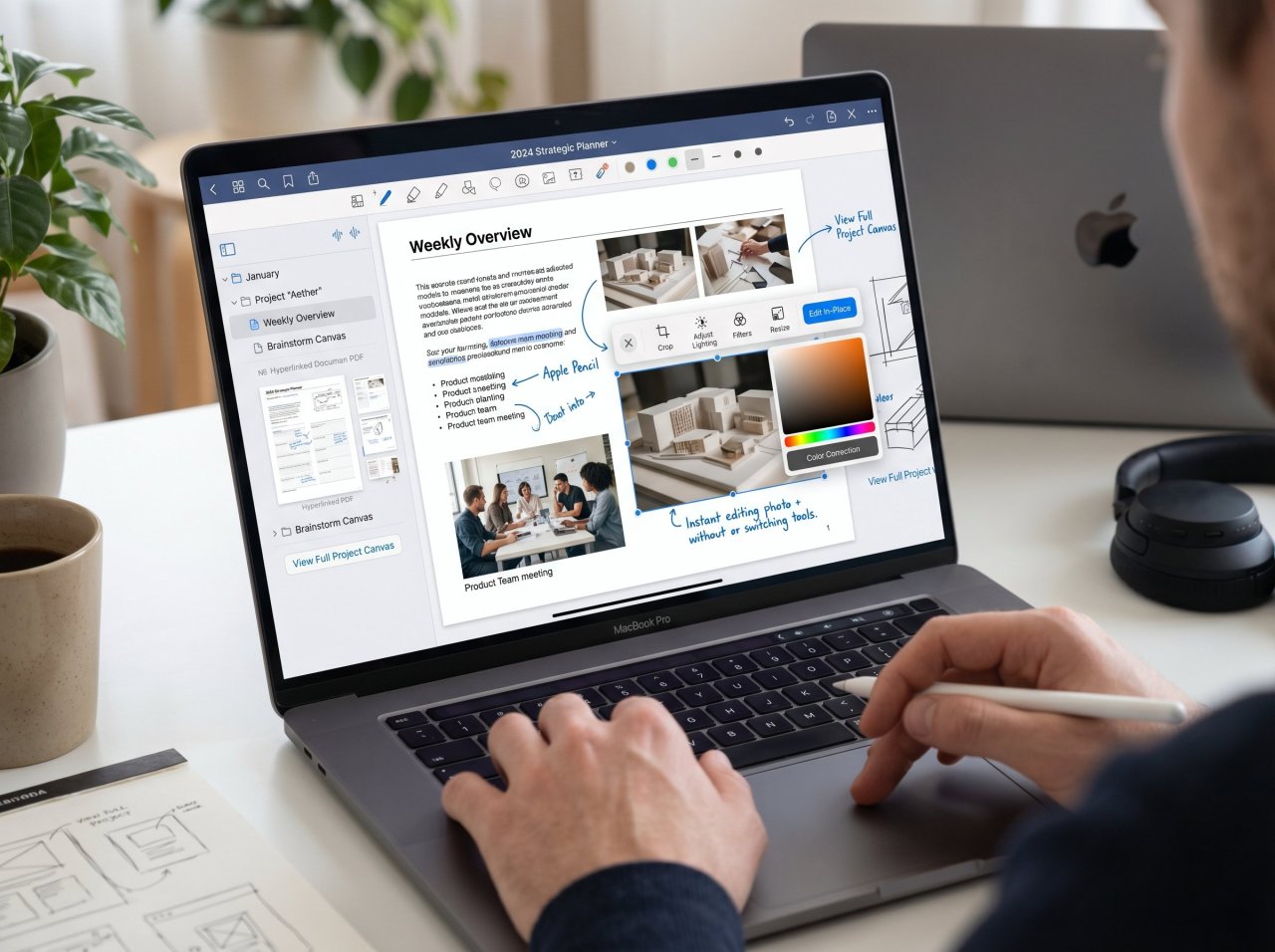
Goodnotes 6 dominates professional digital planning by combining robust PDF annotation with an infinite whiteboard canvas. Its updated Smarter Object Menu allows instant, in-place photo editing, making it the superior choice for users managing complex, image-heavy hyperlinked documents on their MacBook.
The recent architectural updates to Goodnotes 6 have transformed it from a simple note-taking utility into an absolute powerhouse for visual planners. The introduction of the Smarter Object Menu radically reduces the friction of photo integration. Previously, users operating heavily hyperlinked PDFs had to constantly navigate back to the primary toolbar to crop or resize images. Now, selecting a photo brings up an instant, in-place editing interface directly on the canvas, preserving the creative flow when building complex aesthetic spreads.
Furthermore, the implementation of Whiteboards offers an infinite canvas tailored for expansive mood boards and visual brainstorming. Users can convert traditional notebook pages into whiteboards dynamically, dragging and dropping reference photography, animated GIFs, and digital stickers without edge constraints. The application's underlying code efficiently handles these memory-intensive canvases, ensuring that panning and zooming remain perfectly fluid even on base-model hardware.
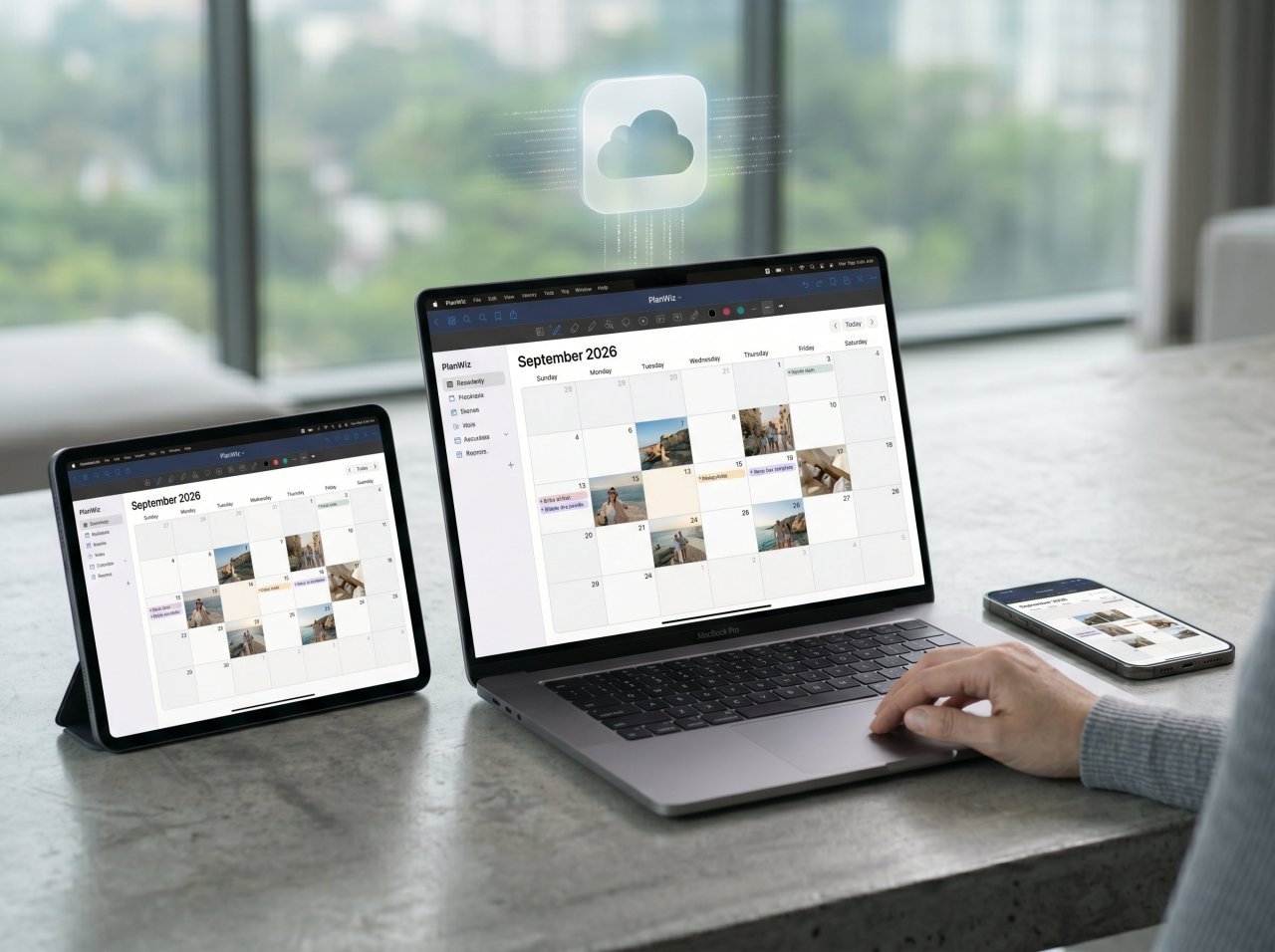
The application's synchronization capabilities set the industry benchmark. Utilizing ultra-low latency cloud infrastructure clocking under 0.3 seconds, multi-device users can capture a photo on their mobile device and immediately place it within their desktop planner. For professionals managing collaborative team planners or students organizing shared academic resources, this real-time visual syncing is critical. Priced at $9.99 annually or a $29.99 one-time purchase for the Apple ecosystem, it presents exceptional financial value for the toolset provided.
Zinnia: The Premier Aesthetic Scrapbooking Engine for macOS
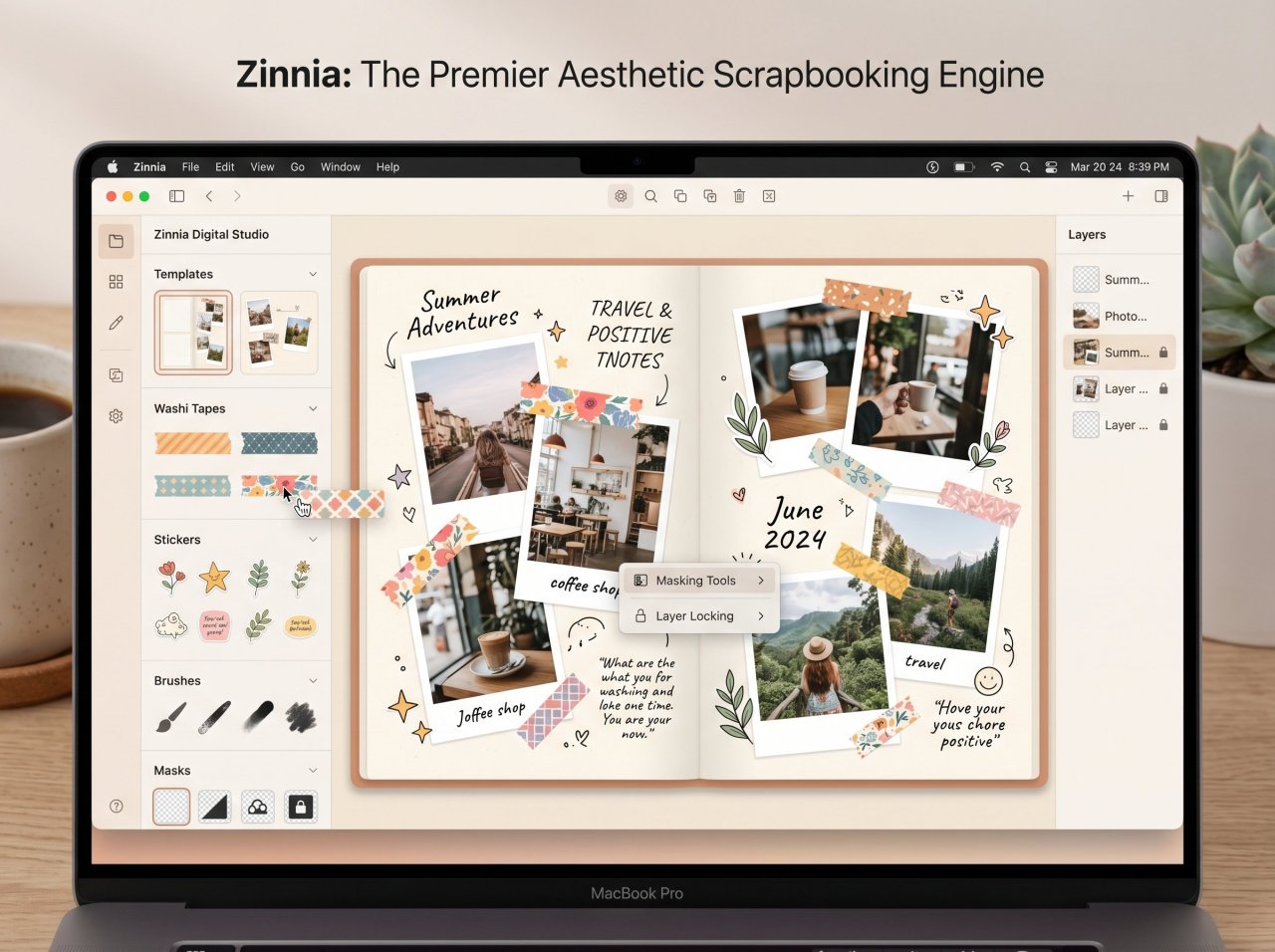
Zinnia operates as the ultimate aesthetic scrapbooking engine for macOS. Featuring an expansive digital studio of washi tapes, stickers, and templates, it provides specialized masking tools and layer locking, enabling seamless drag-and-drop photo integration for highly visual journaling workflows.
Unlike rigid PDF annotators, Zinnia functions as a dynamic layout engine specifically engineered for the journaling and planning community. The software bridges the gap between rigid task management and freeform creative expression. The desktop iteration ensures that users can leverage expansive screen real estate to arrange complex photo layouts, while still relying on precise trackpad or mouse inputs for pixel-perfect sticker placement.
The application's proprietary Studio serves as a continuously updated repository of visual assets. When importing personal photography, users can apply customizable frames, adjust layer opacities, and utilize a vast array of digital writing instruments to annotate their memories directly. The auto-date templates have been recently refined to include 15-minute and 30-minute scheduling increments, allowing users to embed photos directly into specific time blocks—a feature highly praised by users relying on visual time-management cues to combat executive dysfunction.
While the subscription model of $34.99 per year represents a higher recurring investment, the continuous influx of premium artwork from featured community artists justifies the expenditure for dedicated visual planners. The ability to lock layers in place, group photographic elements, and automatically sync massive visual journals via iCloud ensures that Zinnia remains the top recommendation for creative memory keeping.
PlanWiz: The Ultimate Template Library for Visual Thinkers
PlanWiz delivers an incredibly versatile planning ecosystem, characterized by an exhaustive library of over 10,000 templates. For MacBook users seeking deep layout customization alongside photo integration, this application offers robust digital diary functionalities and an appealing one-time lifetime licensing model.
For users who require specialized lifestyle tracking—such as fitness regimens, pregnancy milestones, or therapeutic journaling—PlanWiz provides structural superiority. The platform's template engine allows users to completely overhaul the color schemes, fonts, and grid structures of their daily spreads before importing a single photograph. This modular approach ensures that the planner adapts to the user's changing aesthetic preferences without requiring the purchase of entirely new PDF files each calendar year.
While the analysis indicates that PlanWiz possesses slightly less automated multimedia support compared to premium storytelling apps like Day One, its focus on manual, creative layout design mirrors the authentic bullet journal experience. Users can drag and drop planner elements effortlessly on their desktop screens, adding photos and stickers to cultivate a unique digital scrapbook.
Financially, PlanWiz disrupts the subscription-heavy market by offering a $47.99 lifetime payment tier. This aggressive pricing strategy, combined with seamless cross-platform synchronization spanning macOS, iOS, Android, and web interfaces, positions it as the premier choice for users operating in mixed-device environments who refuse to compromise on visual customization.
Finalist: The Native Apple Ecosystem Planner with AI Summaries
Finalist provides a distinctly native, paper-inspired planning experience built specifically for the Apple ecosystem. By effortlessly merging tasks, calendar events, and weather data into a unified daily timeline, it allows users to integrate personal photography without overwhelming complexity.
Engineered with deep respect for Apple's Human Interface Guidelines, Finalist operates not as a generic web-wrapper, but as a meticulously coded native desktop application. The software abandons the infinite-scrolling to-do list in favor of rigid, day-based containers. Tasks, routines, and photographic journal entries live exclusively within the context of "today," effectively mitigating the anxiety associated with overdue tasks and cluttered agendas.
The application utilizes Apple Intelligence to synthesize incoming data natively on the device, extracting actionable tasks from complex spoken or written sentences. For visual planners, the dedicated Journal tab allows users to capture daily moments, integrating Apple's proprietary Journal Suggestions API to surface relevant photographs, location data, and Activity Rings directly into the daily spread.
By syncing strictly via iCloud and requiring no proprietary account creation, Finalist guarantees absolute data privacy. The timeline view, coupled with the ability to pin essential lists and embed daily photography, offers a sophisticated yet restrained aesthetic perfect for professionals who want the structural benefits of a paper planner alongside the multimedia capabilities of modern hardware.
Feature and Pricing Comparison Matrix
Evaluating the best digital planners requires analyzing the exact intersection of visual toolsets, artificial intelligence capabilities, and financial commitments. The optimal application depends entirely on whether the workflow prioritizes infinite creative freedom, structured task extraction, or cross-device compatibility.
The software industry's pivot toward recurring revenue models forces professionals to evaluate the total cost of ownership over a multi-year horizon. Goodnotes 6 commands immense market share precisely because it retains a $29.99 lifetime purchase option for Apple ecosystem users, insulating them from subscription fatigue. Conversely, Zinnia justifies its $34.99 annual fee by operating as an ongoing content service, continuously injecting fresh graphical assets, fonts, and artist-curated templates into the platform. For users who prefer to purchase base software and supply their own photography and external assets, lifetime licenses like PlanWiz ($47.99) represent vastly superior long-term economics.
The technological divide in digital planning exists between proprietary app ecosystems and standardized hyperlinked PDF files. Apps like Zinnia and Finalist lock the data within their specific structural databases, granting immense power over layering, dynamic date switching, and integrated weather forecasting. However, rendering a 1000-page hyperlinked PDF inside Goodnotes 6 provides absolute data portability. Users can export the entire annotated PDF, complete with flattened photography, and access it on any generic document viewer. The evaluation indicates that visual planners heavily utilizing high-resolution photography benefit most from proprietary engines, which handle active memory paging and image caching far more efficiently than standard PDF rendering engines.
How Apple Intelligence Revolutionizes Photo Integration in 2026
Apple Intelligence fundamentally revolutionizes photo workflows within digital planners by transitioning from generic generative prompting to deeply contextual, agentic tasks. Utilizing the localized Clean Up tool for subject isolation and Image Wand for sketch-to-graphic conversion allows flawless aesthetic customization.
The 2026 iteration of Apple's AI framework shifts the paradigm of digital planning entirely. Operating predominantly on-device via the Neural Engine—and utilizing Private Cloud Compute for heavier processing tasks—these tools guarantee absolute data privacy while manipulating personal photography. Digital planners are no longer passive recipients of imagery; they are active canvases augmented by machine learning. This systemic integration eliminates the need for expensive third-party photo editing software, bringing studio-quality manipulation directly to the desktop environment.

The Clean Up Tool: Flawless Subject Isolation for Vision Boards
Constructing a compelling digital vision board or aesthetic journal requires precise image masking. Historically, removing distracting backgrounds from photos required round-tripping files through complex editing software. With macOS 26, the Clean Up tool is embedded directly into the native Photos application, powered by Apple Intelligence.
This tool allows users to simply click, brush, or circle unwanted background elements, people, or blemishes within a photograph. The neural engine seamlessly reconstructs the background geometry. Once cleaned, the isolated subject can be instantly dragged into Goodnotes 6 or PlanWiz. This localized processing is invaluable for digital scrapbookers who wish to overlay images of friends, fashion inspiration, or architectural references without harsh rectangular borders disrupting the planner's aesthetic flow. Because this tool operates natively, the high-resolution fidelity of the original image is preserved entirely during the transfer process.
Image Wand and Genmoji: Contextual Asset Generation
The Image Wand feature serves as a profound creative bridge for users who lack formal illustration skills. When utilizing connected hardware in the ecosystem, a user can draw a rudimentary sketch within a supported digital planner. By selecting the sketch, Image Wand analyzes the surrounding context, including any adjacent typed text or photos, and generates a polished, complementary visual asset. This transforms basic layout wireframes into fully realized graphical spreads instantly, providing cohesive aesthetic elements without external browsing.
Similarly, Genmoji injects extreme personalization into the planning workflow. Instead of relying on static, generic emojis for habit tracking or mood logging, users can type descriptive prompts to generate entirely unique icons. Planners can even generate Genmoji based on the likeness of friends and family from their photo library, creating highly specific visual markers for birthdays, meetings, and personal events. This effectively functions as an infinite, personalized sticker pack built directly into the operating system's keyboard interface.
Visual Intelligence and On-Device OCR
Search ecosystems in 2026 heavily prioritize "Information Gain"—the synthesis of unique, highly contextual data. Apple Intelligence applies this concept directly to personal productivity. When combined with visual intelligence—where a user snaps a photo of a physical event flyer and the system automatically parses the text, location, and date to generate a calendar block—the planner transitions from a static record into a predictive assistant.
Applications like Finalist leverage this local processing to read calendar events and reminder databases purely on-device, extracting actionable priorities without ever transmitting sensitive corporate data to external language models. This workflow ensures that users can photograph physical artifacts, immediately extract the scheduling parameters, and embed both the data and the reference photo into their daily digital spread with a single fluid motion.

The Impact of macOS Tahoe 26 on Digital Planning Workflows
The rollout of macOS Tahoe 26 fundamentally enhances the digital planning experience on desktop hardware. Introducing the translucent Liquid Glass aesthetic, an incredibly powerful Spotlight overhaul, and refined Continuity features, the operating system creates a frictionless environment for managing high-fidelity imagery.
Apple's commitment to aesthetic refinement and productivity convergence culminates in the Tahoe architecture. The overarching design philosophy directly influences how users interact with visual mediums. By understanding and utilizing these system-level enhancements, professionals can drastically accelerate their weekly planning rituals, minimizing the friction traditionally associated with desktop-based image manipulation.
Liquid Glass UI and Focus Optimization
The most immediate visual transformation in macOS Tahoe 26 is the Liquid Glass design language. This translucent, layered aesthetic provides deep contextual awareness of the desktop environment. When users operate digital planners like Goodnotes 6 or Zinnia in windowed modes, the underlying application chrome subtly reflects the desktop wallpaper and surrounding windows.
While visually striking, power users often leverage the system settings (introduced in macOS 26.1) to toggle between the 'Clear' default and a more opaque 'Tinted' look to reduce visual clutter when focusing on complex, photo-dense mood boards. Furthermore, the operating system allows for unprecedented folder customization, enabling users to apply distinct colors and emojis to specific directories. For digital planners managing massive repositories of PNG stickers, exported Lightroom photographs, and downloaded PDF templates, color-coding the file system drastically cuts down asset retrieval times.
Spotlight Clipboard History for Rapid Asset Assembly
Spotlight has evolved from a basic search utility into a comprehensive command palette. In macOS Tahoe 26, invoking Spotlight reveals specialized sections for Apps, Files, Actions, and an integrated Clipboard History. This native clipboard manager is an absolute revelation for digital planners.
Users can copy multiple photos, hex codes, and text snippets from Pinterest or web browsers, open their digital planner, and sequentially paste items from the history buffer without constantly switching application contexts. This eliminates the need for third-party clipboard managers and keeps the system overhead exceptionally low. By pressing Command+4, the visual planner can access hours of collected inspiration and deposit them perfectly into their weekly spread, vastly accelerating the initial setup phase of any journaling session.
Continuity Camera and Drag-and-Drop Enhancements
The true power of planning on a desktop lies in its interconnectivity with the broader hardware ecosystem. Using Continuity Camera and Continuity Sketch, users can instantly activate their mobile device's camera from within a Mac application, snap a photograph of a physical receipt, document, or inspiration piece, and have it appear directly on the digital planner canvas.
The drag-and-drop mechanics in macOS Tahoe 26 have been heavily refined to support complex multitasking. Users can open the updated Photos app side-by-side with Zinnia, utilizing trackpad gestures to pull raw imagery directly into their weekly spreads. While early iterations of the OS exhibited minor bugs where dropping files onto folder icons in List View failed to register, rapid subsequent patches stabilized the file management pipeline, ensuring flawless cross-application asset transfers. This synergy allows planners to maintain an uninterrupted state of flow while building highly complex visual documents.
Hardware Acceleration: M4 and M5 Chip Performance for Visual Planners
The architectural superiority of the M5 chip redefines the boundaries of digital planning software. By delivering 307GB/s of unified memory bandwidth and hardware-accelerated ray tracing, the silicon prevents thermal throttling when rendering 200-page hyperlinked PDFs saturated with high-resolution photography.
Digital planners have evolved into massive, resource-heavy databases. A typical yearly planner filled with daily 4K photographs, hundreds of vector-based stickers, and complex handwriting vector data can easily exceed several gigabytes in active memory. Legacy Intel processors or base-tier tablets traditionally struggle with "tiling" or "ghosting"—the momentary blank screens that occur when rapidly swiping between heavy planner pages. The hardware architecture is the critical bottleneck for aesthetic planning.
Eliminating Tiling in 200MB+ Hyperlinked PDFs
The introduction of the M5 chip directly addresses rendering bottlenecks. Featuring up to an 18-core CPU and a massive 307GB/s of unified memory bandwidth, the hardware executes active memory paging with zero perceptible latency. When zooming in on a highly detailed vision board within Goodnotes 6, the M5's Neural Accelerators assist in real-time edge rendering, ensuring that masked photos and handwritten text remain perfectly crisp.
The unified memory architecture means that applications do not have to copy image data between traditional RAM and dedicated VRAM. When a user pastes a 50-megapixel RAW photograph from their clipboard directly into a PlanWiz template, the system accesses the asset from a single memory pool. Extensive telemetry from testing environments demonstrates that M4 and M5 chipsets can handle complex PDF exports—such as rendering an entire year's worth of annotated, photo-heavy daily spreads—up to four times faster than previous generations, drastically reducing friction during portfolio backups or physical printing preparations.
Hardware-Accelerated Ray Tracing for Fluid Canvas Navigation
Furthermore, the M5 series incorporates a third-generation hardware-accelerated ray-tracing engine. While traditionally associated with 3D gaming, this graphical uplift directly benefits UI compositing in macOS Tahoe 26.
The complex Liquid Glass translucency, Drop Shadows, and real-time canvas scaling required by heavy aesthetic applications are offloaded entirely to the GPU. This leaves the CPU entirely free to handle background iCloud synchronization and massive handwriting OCR (Optical Character Recognition) tasks without stalling the interface. The result is a desktop environment that feels infinitely responsive, allowing visual thinkers to pan across massive, image-dense digital canvases as smoothly as they would slide a physical piece of paper across a desk.
Apple Creator Studio: A Pro-Tier Complement to Digital Planners
Apple Creator Studio emerges as a definitive subscription bundle for power users demanding absolute control over their visual planning assets. By integrating Pixelmator Pro alongside AI-enhanced productivity tools, creators can manipulate photography and construct bespoke planner templates efficiently.
Priced at $129 annually, Apple Creator Studio consolidates Apple's professional software suite—Final Cut Pro, Logic Pro, Motion, Compressor, MainStage, and crucially, Pixelmator Pro—into a single subscription model. For the digital planning community, the inclusion of pro-tier image editing and advanced Keynote generative features represents a massive workflow enhancement, allowing users to build the actual planners they subsequently use in annotation apps.
Pixelmator Pro: Advanced Sticker and Asset Creation
Digital planners frequently require customized visual elements that go beyond standard cropping. Users building sophisticated spreads often need to adjust color grading, vectorize hand-drawn artwork to create scalable stickers, or execute complex layer blending. Pixelmator Pro, optimized perfectly for the desktop environment, offers these capabilities with an interface far less intimidating than traditional enterprise software.
Under the Creator Studio subscription, Pixelmator Pro unlocks exclusive features such as the AI-powered Warp Tool and Super Resolution, which intelligently upscales low-quality reference images found online before they are imported into a daily planner. The seamless ecosystem ensures that a user can edit a photograph in Pixelmator Pro, copy the flattened layer, and paste it directly into their Goodnotes 6 weekly spread with perfect color accuracy and transparent backgrounds.

Keynote AI Features for Custom Planner Exporting
The Apple Creator Studio subscription also unlocks deep "intelligent features" and premium assets within Apple's default productivity suite: Keynote, Pages, and Numbers. The vast majority of digital planner creators utilize Keynote as their primary layout engine for designing and exporting hyperlinked PDFs.
The subscription provides access to an exclusive Content Hub featuring curated graphics, illustrations, and advanced presentation themes. Furthermore, the AI integration within these updated apps allows users to clean up slide layouts instantly or generate complex structures based on natural language prompts. For users designing their own planner ecosystems from scratch, these automated structural tools drastically reduce the manual labor required to link hundreds of daily and monthly template pages before exporting the final PDF to their annotation app of choice.
Step-by-Step Guide: Constructing a Professional Photo Mood Board on MacBook
Executing a flawless vision board workflow requires a systematic approach to asset collection, isolation, and digital arrangement. Leveraging macOS Tahoe 26 and a dedicated planning application, users can drastically reduce formatting friction and build professional-grade aesthetic spreads.
-
Establish the Canvas Environment: Open Zinnia or Goodnotes 6 and initialize a blank landscape template. Utilize the application's built-in grid or dotted paper settings to establish a structural baseline for asset alignment, ensuring visual hierarchy.
-
Asset Sourcing and Intelligent Clean Up: Open the macOS Photos app alongside your planner in Split View. Select your target inspiration images. Utilize the Apple Intelligence Clean Up tool to brush over any distracting background elements, allowing the neural engine to isolate the primary subject perfectly without degrading edge quality.
-
Execute Frictionless Drag-and-Drop: Click and hold the newly edited image in the Photos app, dragging it directly across the screen boundary and dropping it onto your planner canvas. Repeat this process for multiple images to build the visual foundation.
-
Leverage Spotlight Clipboard History: Invoke Spotlight (Command+Space) and navigate to the Clipboard view (Command+4). Sequentially paste previously copied hex codes, textual quotes, or vector graphics directly into the planner, completely bypassing the need to constantly switch back to web browsers.
-
Layer Management and Masking: In the planner application, arrange the imported photography. Utilize the Smarter Object Menu (in Goodnotes 6) or layer-locking functions (in Zinnia) to send foundational images to the back and bring focal subjects to the front, creating depth.
-
Finalize with Aesthetic Flourishes: Augment the layout using the digital tape tool, custom Genmoji, and typed textual reflections. Select all elements and group them to prevent accidental displacement during routine daily planning sessions.
The convergence of high-performance silicon, intelligent operating systems, and dedicated visual layout applications creates an environment where digital planning transcends simple scheduling. It becomes a deeply integrated, highly aesthetic process of visual synthesis, powered entirely by the robust capabilities of the modern desktop architecture.
Frequently Asked Questions
What is the best digital planner app for MacBook with photos?
Goodnotes 6 is the optimal choice for photo-heavy users, featuring an integrated Smarter Object Menu for rapid in-place cropping and an infinite whiteboard canvas that handles massive graphic files. Its seamless iCloud synchronization ensures zero-latency asset transfers between desktop and mobile environments.
How does the Apple Intelligence Clean Up tool improve digital planning?
The Clean Up tool allows users to effortlessly isolate subjects and remove distracting backgrounds from their personal photography directly within the native Photos app. These perfected images can then be dragged instantly into planners to create flawless, professional-grade aesthetic layouts without third-party software.
Can I use Zinnia effectively on a MacBook without a stylus?
Yes, the dedicated macOS application for Zinnia is fully optimized for trackpad and mouse inputs, providing a robust interface for arranging complex visual layouts and typography. Managing the expansive Studio assets, layer opacities, and photo masking is highly efficient on a desktop environment.
Does the M5 chip actually make a difference for digital PDF planners?
The M5 chip drastically improves the user experience by leveraging 307GB/s of unified memory bandwidth and hardware-accelerated rendering to process 200MB+ hyperlinked PDFs instantaneously. This eradicates the page-loading lag and visual ghosting commonly experienced when swiping through image-saturated daily spreads on older processors.
What is the advantage of using Apple Creator Studio alongside a digital planner?
Apple Creator Studio provides users with Pixelmator Pro and advanced AI capabilities within Keynote, allowing for the precise design of custom vector stickers and the rapid generation of hyperlinked PDF base templates. This subscription consolidates all necessary creative tools into a single, highly optimized workflow ecosystem.